All versions · Published 2026-11-10
What's new in 1.83.0: practice on a rest day, and Castle Siege gets its own card
Handy 990 1.83.0 lets you practice on a rest day without giving it up, puts Castle Siege on the Skills tab where you can find it, and opens brand-new words face up in Smart Review.
This is a smaller release built from things learners told us. Someone with weekends off couldn't reach Smart Practice on a Saturday they wanted to study. Castle Siege was three screens deep and its name appeared nowhere in the app. And Smart Review asked you to recall words you had never seen.
Update when 1.83.0 becomes available in your store; timing can vary by platform.
These screens use sample data; your levels and progress depend on your own practice. Tap a screenshot to see it full size.
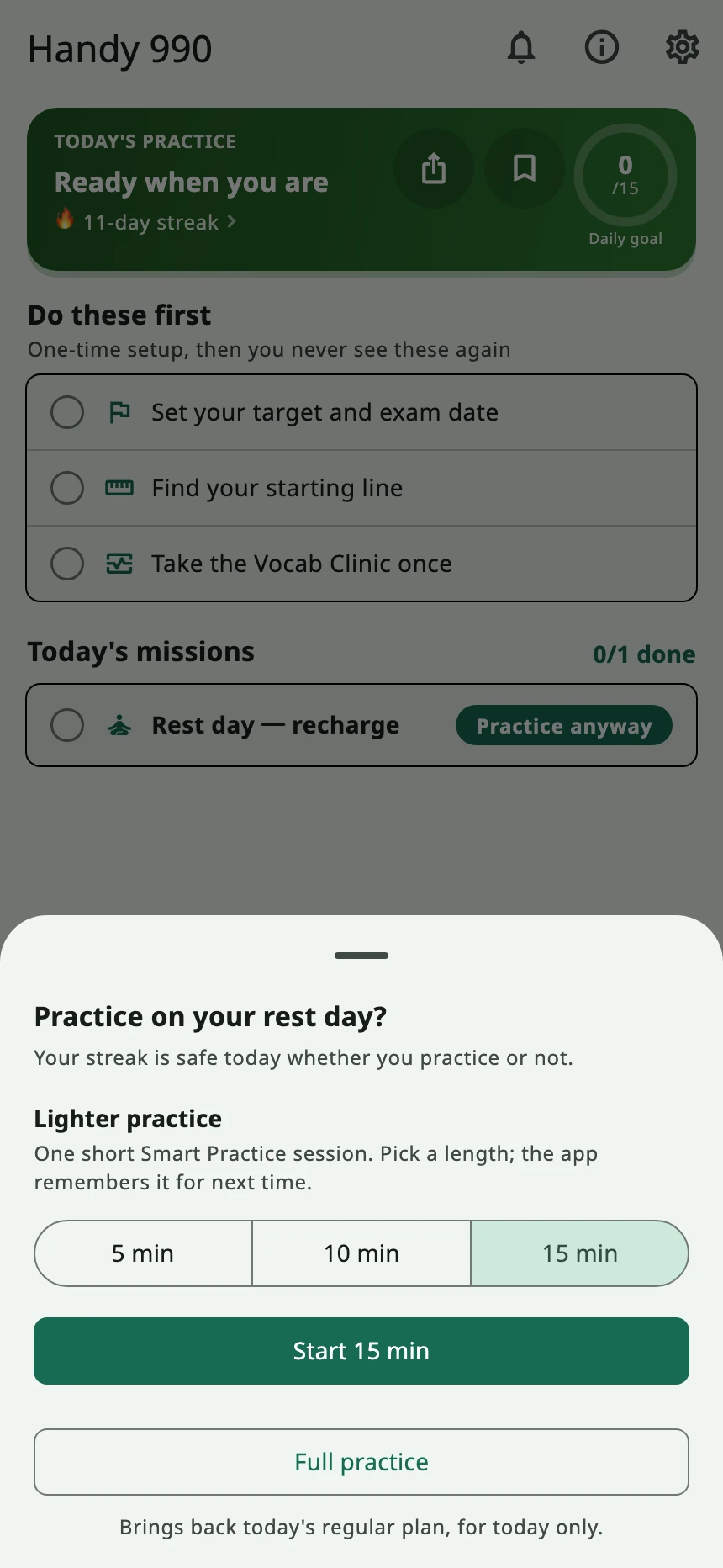
Rest day, but you want to study? Tap Practice anyway
If you set rest days, the Today tab shows a single rest row on those days, and until now there was no way in from there. That row now has a Practice anyway button with two choices:
- Lighter practice: one short Smart Practice session of 5, 10 or 15 minutes. Only lengths shorter than your usual session are offered, and the app remembers the one you pick.
- Full practice: brings back today's regular plan, for today only.
Practice or not, your streak stays intact.
Castle Siege has its own card
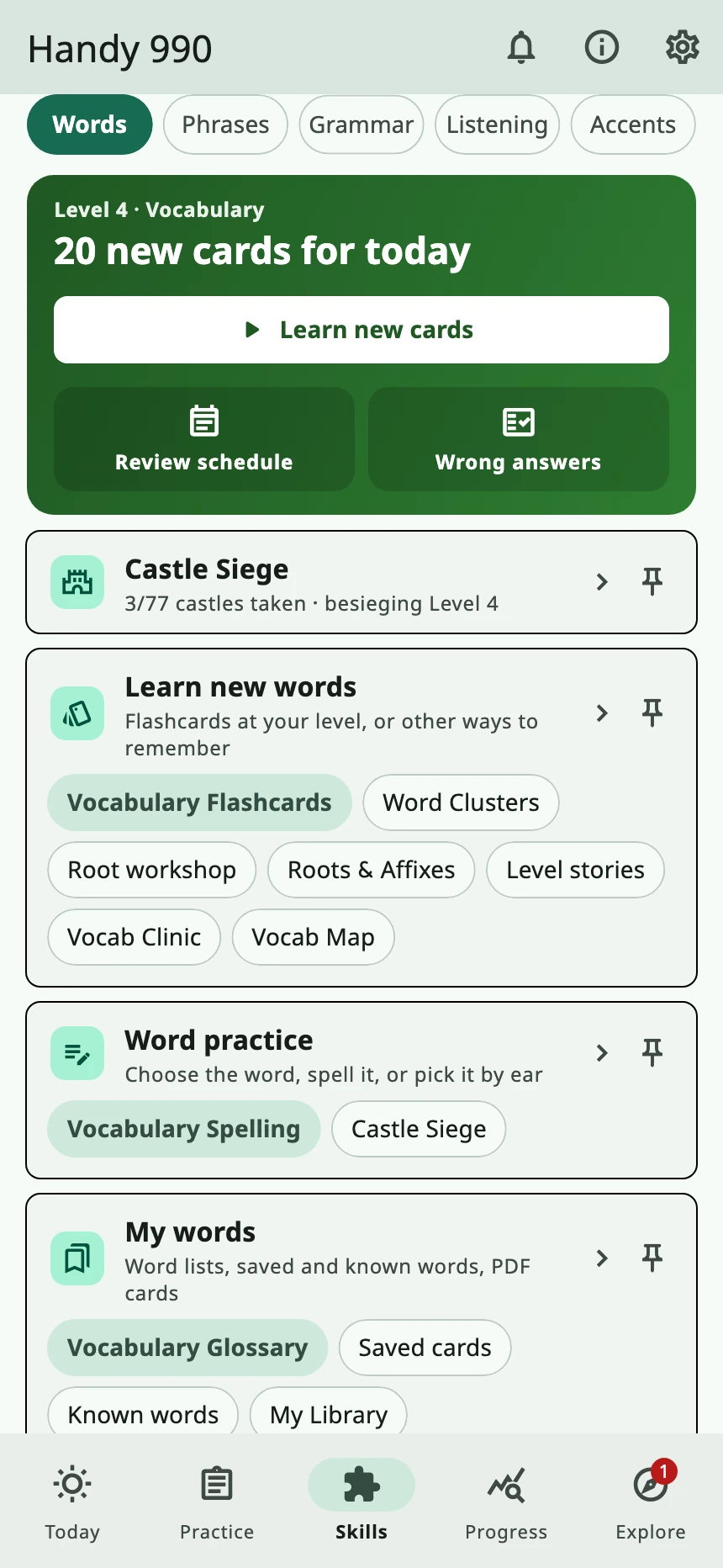
Castle Siege used to be hidden behind Learn new words, the word map, a level, and then the assault button. Now open Skills → Words, and the Castle Siege card sits right under the review card. It shows how many castles you've taken and which level you're besieging, and it changes color when a castle is ready to storm. Tap it to go straight to the castle at your current level.
There's also a Castle Siege row under Word practice, and you can pin it to Today with 📌.
Smart Review and word lookup
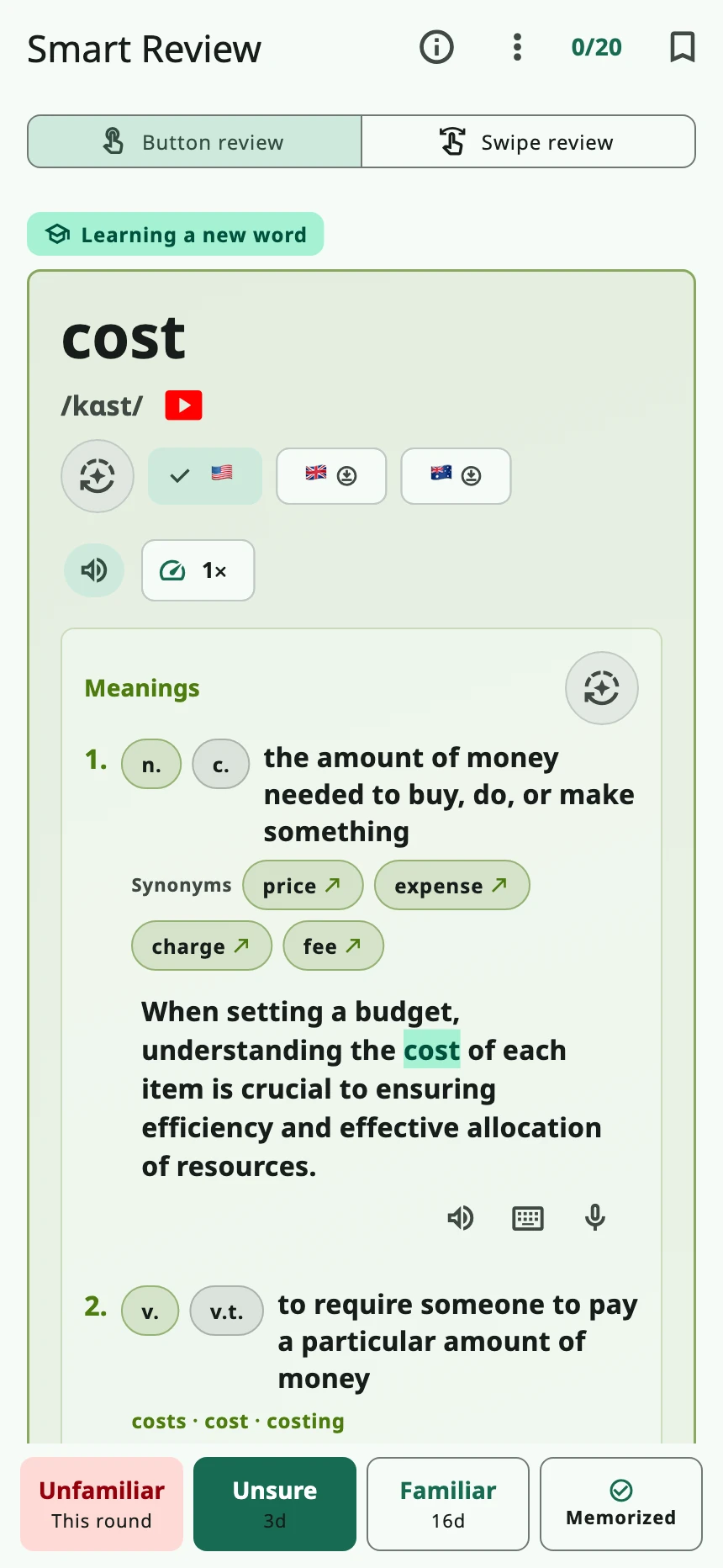
- New words open face up. A word or phrase on its first showing in Smart Review now opens face up and plays its example sentence. There's nothing to recall from a word you've never met, so you no longer tap Show answer just to read it. Cards you've reviewed before still start face down.
- Look up a word from your flashcards. The ⋮ menu on word and phrase flashcards now has Look up a word. In Smart Review it appears once you've turned the card over. If the example sentence has a word you don't know, you can look it up without leaving.
- Long-press gets letters and acronyms right. Long-pressing a single letter (like the answer label D) or an acronym such as FAQ or CPR used to show unrelated dictionary senses. Now you see what it means in the question, and names are labeled as names.
After updating to 1.83.0, try Practice anyway on your next rest day, or open Skills → Words to see how many castles you've taken. To look back at the previous release, read What's new in 1.82.0.